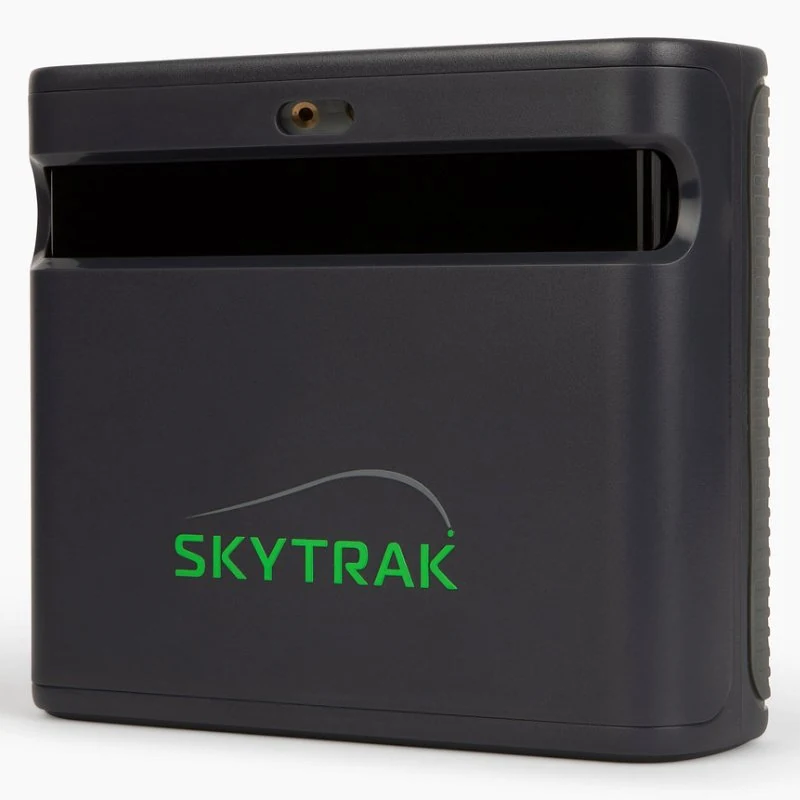
SkyTrak ST MAX
GGL Score 90/100 · Guide budget £1,500–£2,100
Choose ST MAX because you want its specific practice tools and SkyTrak ecosystem, after allowing for the compatible device and membership.
Check Amazon ↗Read our assessment →
For an indoor simulator on a tight budget, the original Square Golf is our starting point. ST MAX makes sense when its particular practice tools and software justify spending more. This comparison covers the original Home Edition, not the Square Omni.
Updated 5 October 2026 · Research-based editorial comparison. Golf Gear Lab has not conducted a controlled head-to-head test of these units. Scores express our buying judgement, not a measured accuracy difference.Quick verdict · Side by side · Room fit · Three-year cost
GGL Score 90/100 · Guide budget £1,500–£2,100
Choose ST MAX because you want its specific practice tools and SkyTrak ecosystem, after allowing for the compatible device and membership.
Check Amazon ↗Read our assessment →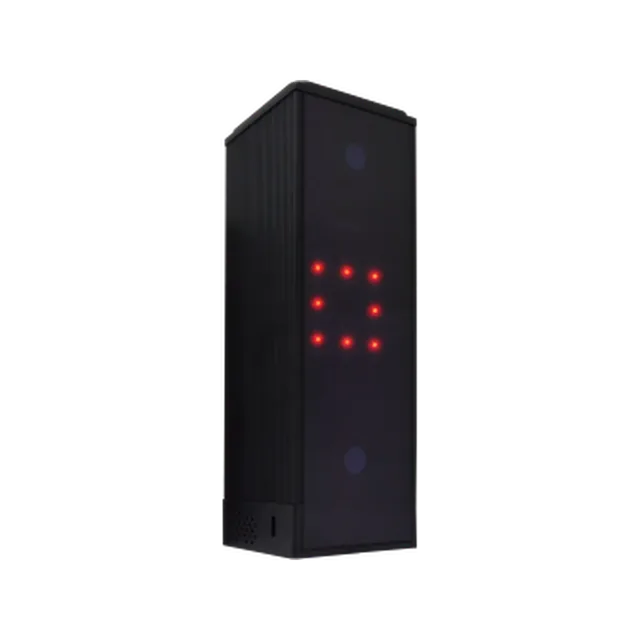
GGL Score 90/100 · Guide budget £650–£750
Choose the original Square Golf if affordable indoor practice is your priority and you are comfortable using its marked balls and credit-based course play.
Check pricesRead our assessment →Guide budgets are not live offers; promotions may fall below them. Check current retailer prices. We may earn from qualifying purchases through affiliate links, at no extra cost to you. Retailers do not determine our verdict.
| Buying decision | SkyTrak ST MAX | Original Square Golf |
|---|---|---|
| Guide budget | £1,500–£2,100 | £650–£750 |
| Main use | Dedicated practice bay with SkyTrak software | Lower-budget indoor practice and simulator golf |
| Tracking | Radar plus cameras, beside the ball | Camera-based, beside the ball |
| Practice tools | SkyTrak speed training and game-improvement features | Square practice and course-play platform |
| Balls and markers | Check current requirements for your intended metrics | Marked balls for spin; shaft marker for club feedback |
| Outdoor purchase | Check manufacturer surface/setup guidance | Designed for indoor environments |
| Software spending | Confirm membership tier, included first year and renewal | No mandatory subscription; paid course credits and third-party licences can apply |
| Additional device | Compatible device required | Compatible mobile device or PC required |
The clear reason to move to ST MAX is the experience you want from SkyTrak’s software: structured improvement sessions, speed training and the course-play options you have checked for your device. It is not a guarantee that your practice will improve simply because the unit costs more.
If you mostly want to hit real balls into a net, see shot feedback and occasionally play a virtual round, Square may already cover your needs. Write down the feature you would miss before deciding to pay for the step up.
Using the lower ends of our guide bands, £1,500 minus £650 leaves £850 for other equipment. This is a planning example, not a live retailer saving. A better mat, safe side protection and adequate lighting may be more valuable than buying a pricier monitor and compromising the room.
Marked balls and club markers add a small setup task. This is worth considering if several people use the bay or you want to practise with particular balls. The original model is designed for indoor use; do not confuse it with Omni’s outdoor positioning.
Choose your membership and software before ordering. A first-year promotion does not eliminate renewals. If you already own a compatible device, count it at zero in your incremental budget; if not, include it for both products.
Our verdict: Square for a value-led first indoor setup; ST MAX when its software and training features are the specific reason for your purchase. Neither monitor substitutes for safe ball containment.
Side-on placement avoids the extra tracking distance behind the ball that rear-mounted radar systems need. It does not remove the need for a safe swing. Measure width, ceiling height and the position of beams with your longest club, then add the screen or net clearance required by its supplier.
For mixed-handed households, leave a safe position for the monitor on both sides of the ball. Moving it between players is a practical drawback of both choices. Do not use a nominal room size as a guarantee that your swing will fit.
Use our free simulator planner → · Room-size planning guideTotal = current hardware price + device or PC + mat, net or screen + software over 36 months + required accessories. A monitor-only price is not a complete simulator quotation.
| Cost to record | How to compare fairly |
|---|---|
| Hardware | Use the current retailer price for the exact model; guide budgets are editorial planning bands. |
| Computer and display | Use £0 only if your existing device meets the selected software requirements. GSPro-style PC builds must include the PC separately. |
| Membership | For an annual fee A, three paid years cost 3 × A. If the exact offer includes year one, two renewals cost 2 × A, assuming the fee stays unchanged. |
| Credits and licences | Allow for actual rounds and paid third-party software. No mandatory subscription does not mean every course is free. |
| Room equipment | Compare the same safe mat, screen/net and protection. Add a projector only if you want projected golf. |
Illustration only: a £250 yearly licence adds £750 across three paid years, or £500 after an included first year. This is arithmetic, not a quoted membership price for either product. Confirm UK renewal prices and taxes before choosing.
Compare software costs → · Budget for the complete roomNo. This page covers the original Square Golf Home Edition. Omni is a separate, more expensive product; use our dedicated Omni comparison.
No. Price does not establish accuracy, and we have not performed a controlled head-to-head test.
The manufacturer specifies marked balls for spin measurement and a shaft marker for club feedback.
Start with Square if it supports the indoor practice and software you want. Choose ST MAX if its particular ecosystem justifies the larger total budget.
Our recommendation combines published specifications, software terms and UK setup needs. It does not establish which unit is more accurate. Distances and shot shapes may be derived from measured launch inputs; a longer metrics list does not mean more independently measured quantities. Check the manufacturer’s definition of each metric before buying for coaching.
SkyTrak ST MAX features · SkyTrak UK software and offers · Square Home Edition specification · Square Golf platform and credits
ST MAX vs Square Omni · Garmin R50 vs ST MAX · GC2 vs Omni vs ST MAX · Launch-monitor guide