
Golf simulator shopping lists UK: net practice, compact rooms and Garmin R50
Choose the experience you want, then check the equipment and extras. These are suggested configurations with planning budgets, not guaranteed complete packages or live retailer quotes.
First: check the room. Measure usable space beneath beams, lighting and door tracks, and allow containment and manufacturer clearances. Check my room →
Bundle or separate parts?
A retailer bundle is a selected monitor plus specified net or enclosure components. Mats, projectors, computers, software and installation may be additional options. Compare the itemised basket, not the room photograph. Some retailer links earn us a commission at no extra cost to you.

Budget net practice
Around £1,000–£2,000
Choose this if: You want portable shot-data practice and can reuse a compatible phone, tablet or TV setup.
Main compromise: Indoor radar needs rear tracking space and ball flight. A low hardware price will not rescue a room that is too short.
What the bundle lists: The retailer lists an R10 and practice-net components, including poles, side netting and foam padding. Check the selected net size and whether an impact screen is part of that variant. Allow separately for: Mat, compatible device, display connection and any paid course software. Projected golf needs an appropriate impact screen and projector.
Equipment list and compatibility checks
| Component | Suggested equipment | Confirm before ordering |
|---|---|---|
| Launch monitor | Garmin Approach R10 | Confirm the exact R10 model and supplied accessories. |
| Net | SimSpace R10 practice-net bundle | Choose the net variant only after allowing tracking space and clearance. A net bundle is not a finished room. |
| Mat | SimSpace Premium Turf mat, 1.5 × 1.5 m | Budget separately unless the selected bundle includes a suitable mat. |
| Device and display | Compatible phone or tablet; reuse your display where supported | Verify app support and the chosen screen-mirroring or display route. No projector is assumed. |
| Software | Practice app first; optional course-play licence | Record any annual membership and third-party licence before ordering. |
| Protection and setup | Side containment, device position markers and tidy cable routes | Check the net manufacturer’s clearance and safe full swings from the mat. |
Running costs: Basic practice and optional course play have different costs. Garmin Home Tee Hero requires Garmin Golf membership; third-party simulator software is separate.
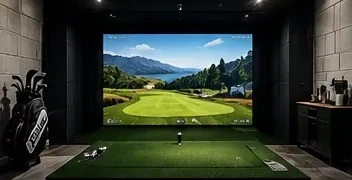
Compact indoor course play
Around £2,500–£4,000
Choose this if: You want an indoor side-on monitor and a projected room without paying for a premium standalone unit.
Main compromise: It saves rear tracking depth, not swing clearance. Mixed handedness requires checking both hitting positions and moving the monitor.
What the bundle lists: The retailer lists Square Home, marked balls and enclosure components. Screen and enclosure variants differ; check the basket for the exact size and contents. Allow separately for: Mat, compatible device, projector, mounting and cables, plus any optional protective case or additional software.
Equipment list and compatibility checks
| Component | Suggested equipment | Confirm before ordering |
|---|---|---|
| Launch monitor | Square Golf Home launch monitor | This is the indoor Home model, not Square Omni. Check the supplied marked balls. |
| Enclosure and screen | SimSpace Square Golf enclosure bundle or separate SimSpace 3 × 2.5 × 1.5 m enclosure | Check outer frame dimensions, impact clearance and selected screen. A separate enclosure quote does not include the monitor. |
| Mat | SimSpace Premium Turf mat, 1.5 × 1.5 m | Match monitor height to the hitting surface and check mat suitability. |
| Display | A short-throw projector selected for your screen and mounting position | Obtain a model-specific throw calculation and current quote; no projector price is included as a live offer. |
| Device and software | Device compatible with the Square app; marked balls and course credits | Verify the current app requirements. PC-based third-party play is a different budget from Square’s own app. |
| Optional protection | Square Golf metal protective case | Confirm the Home-model fit and stance clearance; an accessory does not replace containment. |
Running costs: Square has no mandatory subscription, but course credits cost extra after the included allowance. Third-party licences and a suitable computer can increase the total.
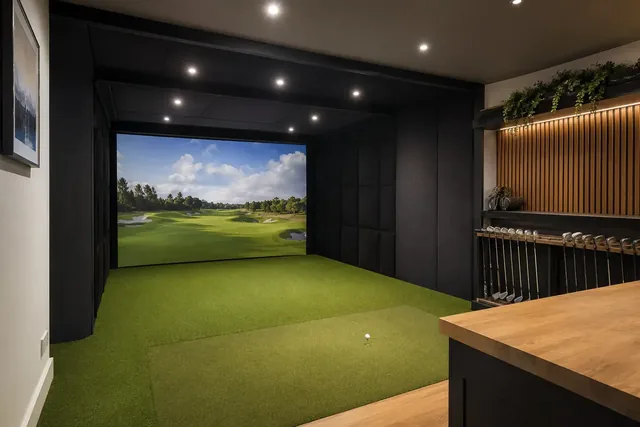
Premium R50 room
Around £6,000–£8,000
Choose this if: You want a built-in touchscreen and Garmin’s own course-play workflow without maintaining a separate gaming PC.
Main compromise: The built-in screen is expensive convenience if you intend to use a gaming PC for every session anyway.
What the bundle lists: The retailer lists the R50 with selectable enclosure and screen options. Check the exact selected screen, frame and protective components rather than assuming every pictured item is included. Allow separately for: Mat, projector, mounting, HDMI cables, membership and room preparation. A third-party PC setup adds its own computer and software costs.
Equipment list and compatibility checks
| Component | Suggested equipment | Confirm before ordering |
|---|---|---|
| Launch monitor | Garmin Approach R50 | A monitor-only quote is not the whole-room price. |
| Enclosure and screen | SimSpace R50 home-simulator bundle or a separately purchased enclosure | Compare the identical screen size and contents when comparing bundle and separate-part quotes. |
| Mat | SimSpace Premium Turf mat, 1.5 × 1.5 m | Confirm the final mat height when checking tracking and swing clearance. |
| Projection | Suitable projector, mount and HDMI connection | Check throw, screen aspect ratio and cable route. Source a current quote for the exact model. |
| Software | Garmin Golf membership for Home Tee Hero | Confirm current UK membership and any trial. Third-party play requires separate compatibility and licensing checks. |
| Room work | Protection, lighting, ventilation, power and delivery | Building work and specialist installation are outside the guide range unless explicitly included in your quote. |
Running costs: Home Tee Hero requires Garmin Golf membership. A third-party simulator licence may also need a suitable gaming PC; the no-PC recommendation applies to Garmin’s own workflow.
Want a larger course library or a PC-based studio?
A gaming PC and third-party simulator licence change both the upfront budget and ongoing costs. Check the selected monitor’s current integration before ordering a computer or licence.
R50 or SkyTrak ST MAX? · Square Omni or R50? · Software costs
Before placing the order
- Confirm room suitability, tracking layout and the finished mat height.
- Ask for a basket or quote listing the exact monitor, frame dimensions, screen, mat and display.
- Confirm device compatibility, included software period and renewal or credit costs.
- Add delivery, installation, mounting and any missing protective equipment.
These planning ranges reuse our existing equipment-budget bands. Obtain current quotes including VAT and delivery. Premium finishes, building work, installation and PC-based upgrades can take the total outside the range.
Buying as a gift, delivery or payment questions?
Confirm the recipient’s room, handedness and existing equipment before buying a simulator. A monitor or net is not automatically a suitable gift. Ask the retailer about current stock, the selected variant’s delivery date and returns before ordering.
Room-building schedules should allow delivery delays and setup time. No Christmas arrival date is guaranteed here.
If using a retailer payment plan, check the current terms and total cost directly with that retailer.
Sources and scope
Bundle component descriptions checked against these retailer pages on 8 October 2026. Selected variants, offers and stock can change.
- SimSpace: R10 practice-net bundle
- SimSpace: Square Home enclosure bundle
- SimSpace: R50 home-simulator bundle
- Square Golf: software
The configuration choices and budget bands are Golf Gear Lab planning advice. The illustrations do not establish bundle contents or a tested installation. How we assess · How our links work